One of the primary reasons I rarely blog or write is distraction. Whether it’s new articles from Google Reader, a mild addiction to Reddit, or real work, it can be difficult to stay focused and produce a blog entry. If you’re a WordPress user and serious about eliminating distractions, here is a tip: combine WordPress’ Distraction Free Writing Mode and Google Chrome’s full screen browsing for the ultimate in minimalist blogging.
WordPress has upgraded the full-screen view for distraction-free writing sessions. The new full-screen mode hides the visual editor across the top and limits text to a post-size box in the center. Older versions of WordPress had text going all the way across the screen making it hard to judge and format text and more difficult to proofread.
As a writer, Distraction Free Writing Mode allows you to focus on what’s important: the content.
To activate Distraction Free in WordPress, click the screen-shaped icon in the top row of the toolbar; it has arrows pointing towards each corner.
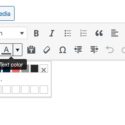
In this mode, the editor’s toolbar is hidden by default; however, you can hover your mouse over the top part of the window to make it visible. The toolbar is limited to the essentials and a save button. The good news is, you still have access to HTML or Visual modes and, most importantly, keyboard shortcuts.
After a few seconds, the toolbar automatically fades away.
Distraction Free Mode only remedies half the distractions. If you’re like me, you have multiple tabs and apps open at once. Those tabs often refresh and can update the tab with new or blinking notifications. It’s hard to stay focused with all that going on.
If you’re not using Google Chrome, you’re missing a fast, stable, browsing experience. If you’re using a Mac, you’re also missing Full Screen browsing. Full Screen mode hides all distractions from view and puts the focus on what’s important: content consumption or production.
When combined with Distraction Free Writing mode, Google’s full screen mode creates a minimalist environment perfect for blogging without distraction. This is the ultimate in peaceful writing. With Chrome’s and WordPress’ interface out of the way, the only thing you have to focus on is writing.
To activate or deactivate full-screen browsing in Chrome use the following:
Don’t panic when you first launch full screen. Your tabs, address bar, and other distractions will be hidden. To make them appear, move your mouse to the top of the window and voilà!
Aside from writing, full screen mode could be used for reading, email management, slide shows, or just about anything you may want to view in your browser without external distraction. Most importantly, full screen mode works on any site.
Do you have other hacks or tips for preventing distractions? Please, share them below.
Twitter Tools is a highly-functional WordPress plugin that can be seen in action in this site’s footer. As you may have guessed, it’s primary function is to display your Tweets. Well, you guessed right, but there is much more to this great plugin.
Twitter Tools gives you control of your tweets. I use it barebones (as you can see), but may eventually integrate some of its more useful functions like:
My blog uses this plugin. Now, my blog is tied to Twitter and Twitter is tied to Facebook. Updating my blog updates Twitter which updates Facebook and then updates my blog’s tweet-status. This is exactly what Web 2.0 is about. Integration with ease.
Thanks Alex King for making such a smart plugin.
Copyright 2012 - All rights reserved Knol Aust PO Box 4212, Jackson, Mississippi 39296 | (601) 879-4878